
How do you make use of our Plugin Manager?
An easy to follow tutorial on how to use our plugin manager so you can get some of the major plugins onto your server!
Use Our One-Click Plugin Installer
Our panel includes a built-in one-click Plugin Installer that makes adding popular Minecraft plugins fast and simple.
Instead of manually downloading plugin files, uploading .jar files, and checking folders yourself, you can install many major plugins directly from the panel with just a few clicks.
The installer includes many commonly used plugins, such as:
| Plugin | Purpose |
|---|---|
| LuckPerms | Permissions and ranks |
| EssentialsX | Core server commands, homes, warps, and economy tools |
| Vault | Economy and permissions bridge |
| WorldEdit | Fast building and editing tools |
| WorldGuard | Region protection |
| CoreProtect | Block logging and rollback |
| GriefPrevention | Land claiming and anti-grief protection |
| PlaceholderAPI | Placeholder support for other plugins |
| TAB | Tab list and name formatting |
| ViaVersion | Allows newer Minecraft clients to join older servers |
The one-click Plugin Installer is the easiest way to get started with plugins because it handles the basic install process for you.
How to Use the One-Click Plugin Installer
- Open your server panel.
- Select your Minecraft server.
- Go to Plugin Installer.
- Search for the plugin you want.
- Click the plugin.
- Choose the correct version if needed.
- Click Install.
- Wait for the install to finish.
- Restart your server.
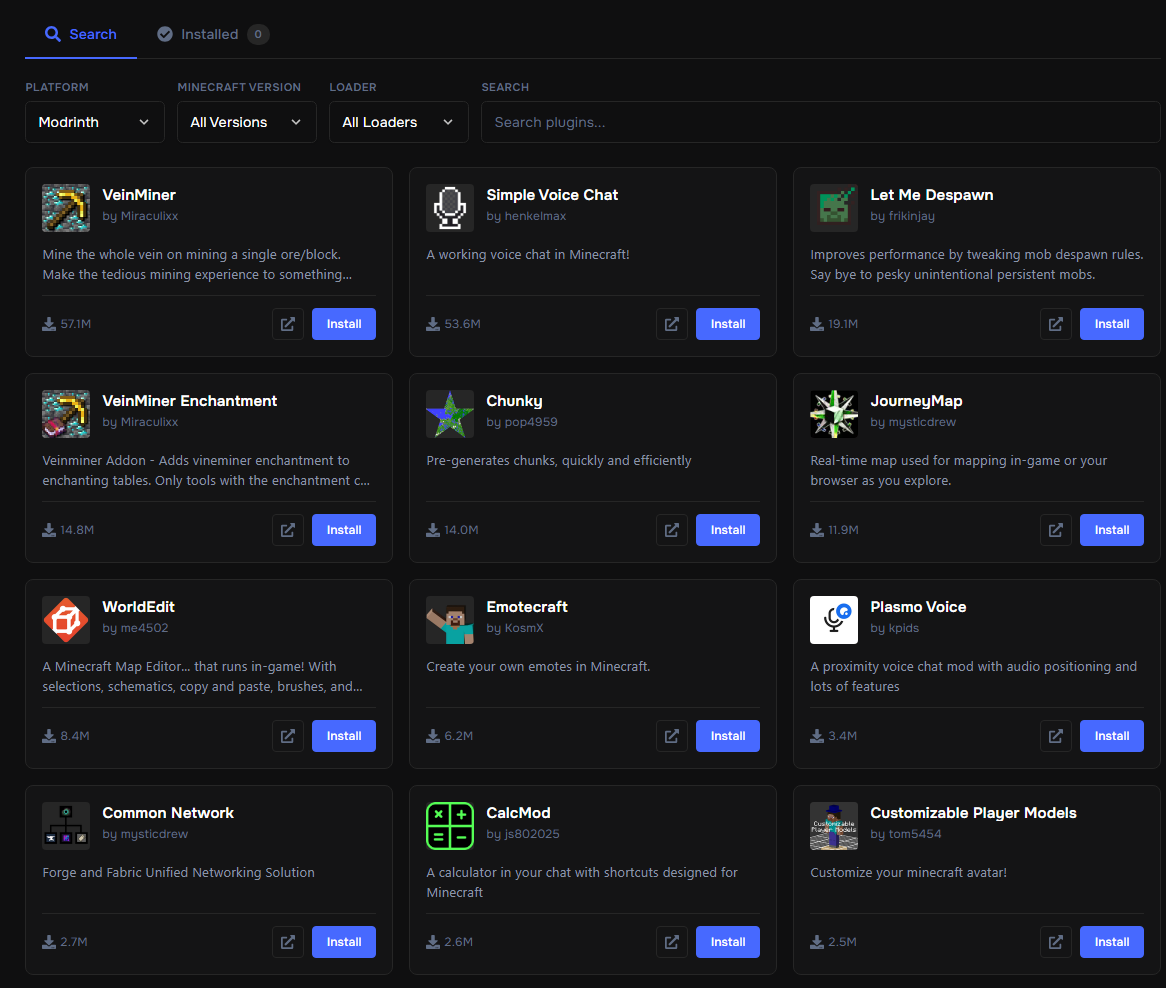
Once installed, the plugin will be placed into your server’s plugins folder automatically.
After restarting, check the console to confirm the plugin loaded successfully.
Why Use the Plugin Installer?
The Plugin Installer is useful because it saves time and helps avoid common upload mistakes.
| Manual Install | One-Click Installer |
|---|---|
You download the .jar yourself |
Search directly in the panel |
| You upload files manually | Installer places files for you |
| Easy to upload to the wrong folder | Installs into the correct plugin folder |
| Slower for beginners | Faster and easier |
| Requires more checking | Simplifies the install process |
For most users, the one-click installer is the recommended way to install major plugins.
Manual uploads are still useful for custom plugins, premium plugins, private plugins, or plugins that are not listed in the installer.
Important Notes About One-Click Installs
Even when using the Plugin Installer, you should still check:
- The plugin supports your Minecraft version
- The plugin supports your server type
- Any required dependencies are installed
- The server starts without console errors
- The plugin config is reviewed after first startup
Some plugins may still require extra setup after installation.
For example, a permissions plugin like LuckPerms may install successfully, but you still need to create groups, assign permissions, and configure ranks.
The Plugin Installer installs the plugin, but some plugins still need configuration before they are fully ready to use.
When to Use Manual Upload Instead
Use manual upload if:
- The plugin is not listed in the Plugin Installer
- You purchased a premium plugin
- You are using a custom private plugin
- The plugin developer provides a special file
- You need a specific older version
- The plugin comes with extra setup files
For most public and popular plugins, the one-click installer is the fastest option.